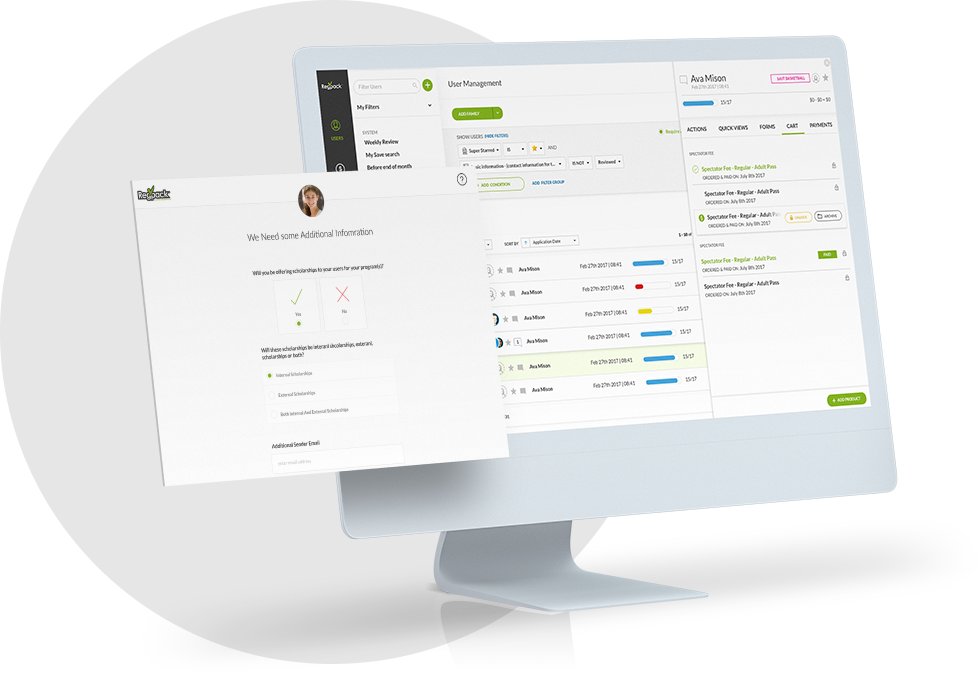



This week we are looking at some updates we’ve made to the Regpack cart, that you may not have noticed!
The goal of these updates is to make usability more intuitive and easier!
Below is an overview of some of the changes made. If you have any questions, reach out to your PM or email support@nightlyregpacks.com.
Regpack Cart Redesign
We made many small changes to the cart to make it easier for you to manage product and payments. We’ve included a small description and screenshot below for reference.
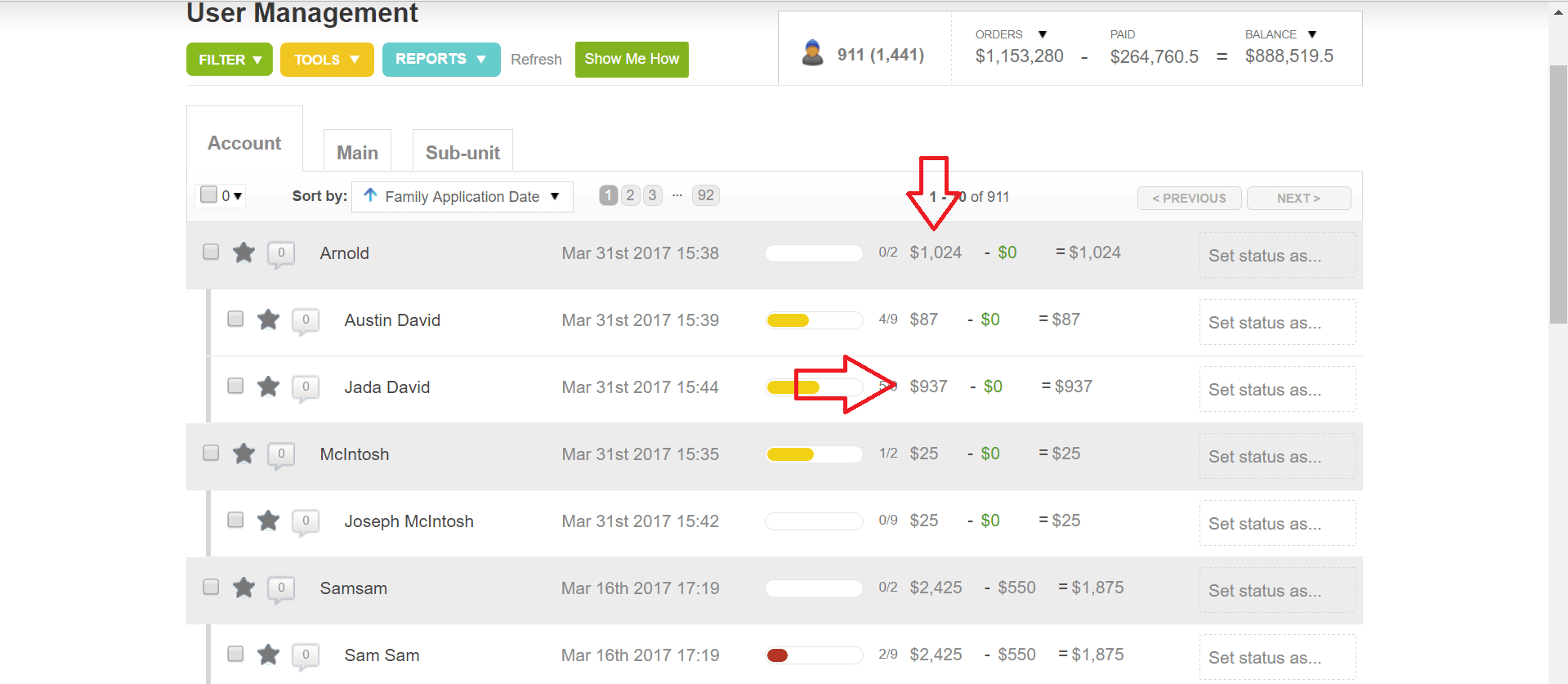
To view all the changes we highlight below, you simply click on a user’s total due in user management, highlighted below. It will then pop up the screenshots you’ll see in the rest of this post!
Archive Products Individually
You can now archive products individually, or archive a user’s entire cart. You can also select the archive conditions: by order date, paid date or today.
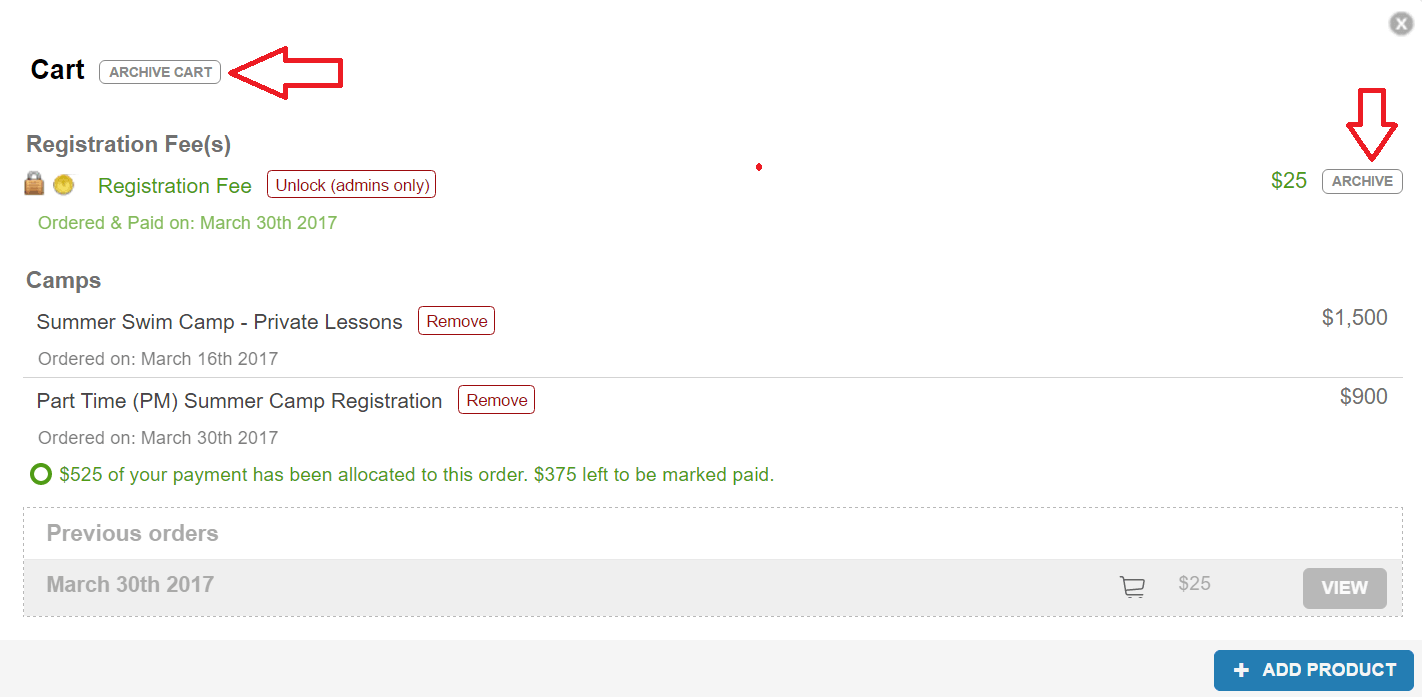
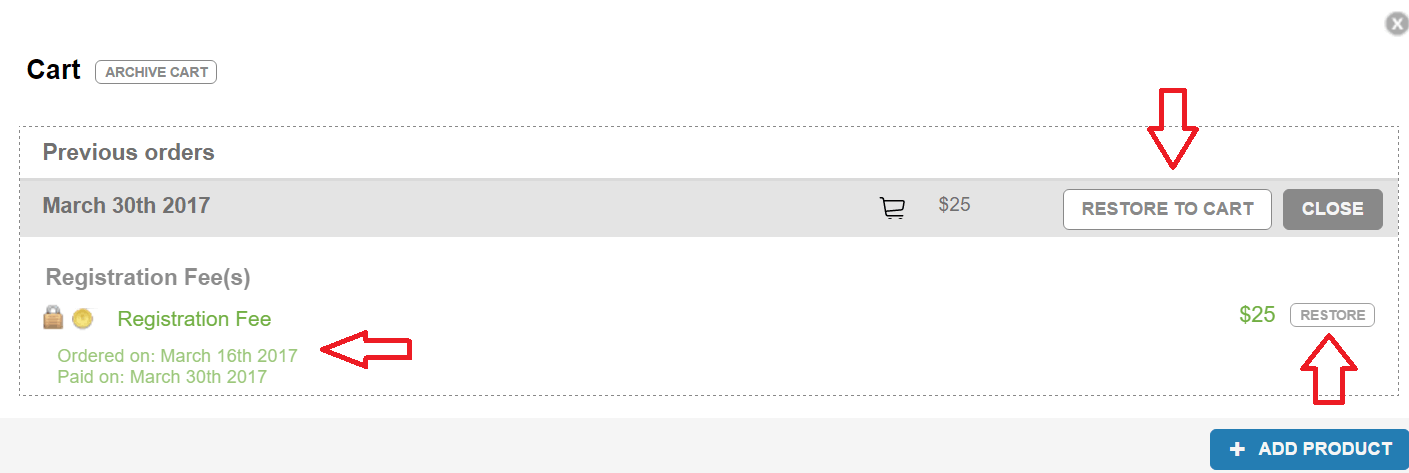
Additionally, anything that is archived is automatically pushed to the previous orders section, highlighted above and below. Simply click on “View” under previous orders, and the screen you see below will pop up.
You can view previous orders, or restore to the cart easily. When you click view, you can see any remarks with details on this payment, including the date the product was ordered and the date the product was paid for.
Interact with the cart on a per product basis.
It’s now easier than ever to find and view information for specific products. Instead of just viewing a balance, balance due, balance paid; you can now see information on every product.
This is great for a number of reasons! It used to be really hard to find information on products a specific user ordered. You’d have to run a sales report and view it that way. Now you can just view a user and see each product they’ve ordered, what is paid, what is unpaid and details of any payments.
If you use a waitlist, it is helpful to see when a person added a product to their cart and what date they paid!
Balance and payment information updates!
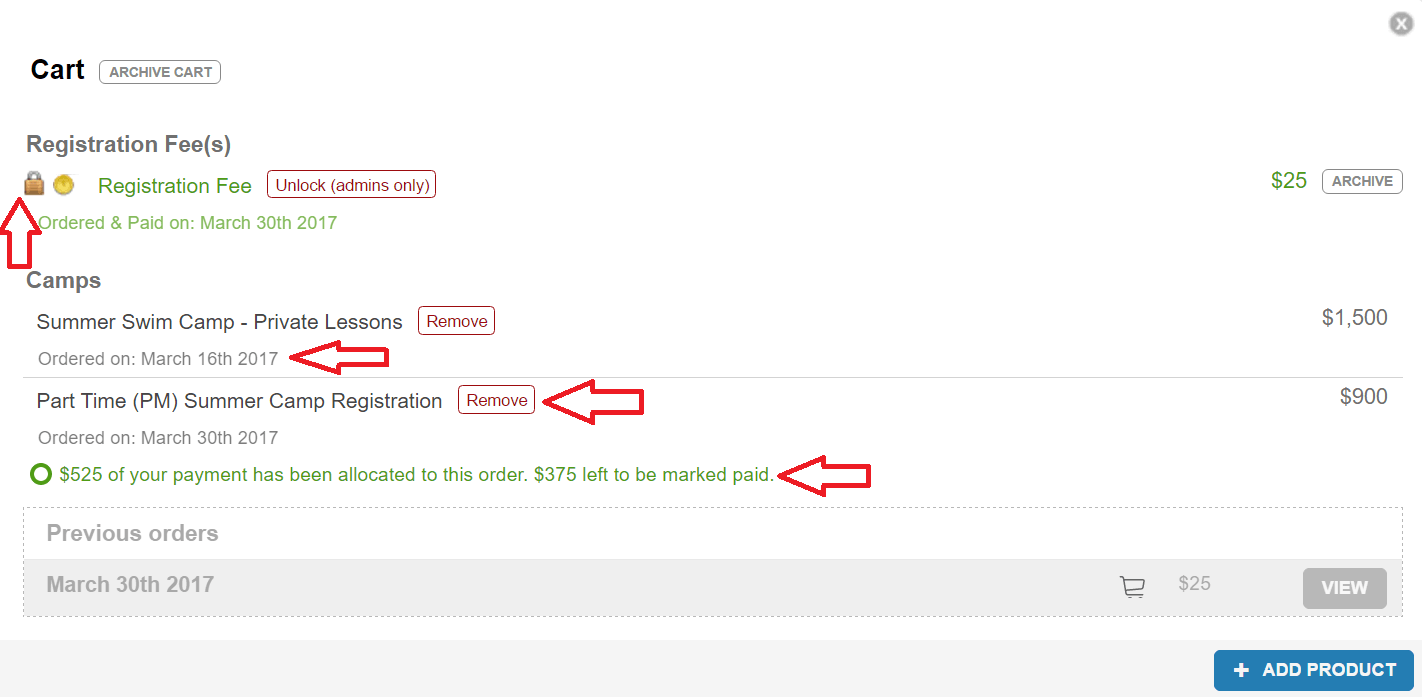
You can now easily see balances paid and due via color. Black will show you balances owed, and green are payments already made. Simple change but helpful when you are viewing a user’s information.
You can also easily now lock or unlock a product in a user’s cart by clicking the lock icon.
Lastly, you can see on every payment the date it was paid by default. And any product that has a partial balance, will automatically show you the amount paid and owed underneath the product.
All of these additions are highlighted below:
We hope you enjoy these small updates. We hope they will make a BIG difference for you! Again, if you have any questions, reach out to your PM or just shoot us an email to support@nightlyregpacks.com!