



An incomplete registration email is a great way to give a gentle electronic reminder to parents who started but did not complete their child’s online camp registration.
Many camps will not consider the spot “filled” until registration and deposit or payment is made. If this is your policy, a “Your registration is incomplete” email ready to go is imperative to keep your registration flowing.
Below is a template for a “Registration Not Complete” email. You’ll notice that the email contains a number of specific features that make it great! I’ll break down what those are after the email example.
Incomplete Registration Email Example

Dear Camper’s Last Name Family,
Thank you for starting your Camp application! We are looking forward to having Camper’s First Name at camp with us this year!
As of today, the following forms of Camper’s First Name‘s Camp application is not complete!
In order to hold your space for your camper, please complete the application via the link below.
| Complete Your Application |
Login with this email and password you created. If you don’t remember your password, simply click “Forgot Password” to reset it.
Here is a list of your incomplete forms:
Guardian Information
Sign Terms and Conditions
Pay Deposit
Pay Balance
Some helpful information so you can complete your application ON TIME!
The deadline to complete your application is February 1st.
Questions with a red circle next to them must be filled in. Make sure you complete all mandatory questions. The form will not mark complete until this is done. You can check your dashboard here to see which forms are still considered Incomplete.
If you have any questions, just hit “reply” to this email!
If you don’t plan to complete this application because you will not be joining us for camp this year, please reply to this email and let us know so we can open this spot to others.
Please don’t hesitate to contact me with any questions or concerns regarding your child’s application.
All the best,
John Smith
Program Director
Camp Awesome
ph: (855) 377-7707
john@campawesome.com
How is this email template effective?
1. It’s personalized.
Personalized emails mean higher conversion rates. Conversion rates are just a fancy term for “getting the reader to do what you want them to do”, which in this case is to complete registration.
You’ll notice the family’s name and camper’s name is used in the email. So is the name of the session they are registering for.
Most camp software options on the market will allow you to personalize this with something called a “token”. You can see the tokens bolded in the email example above.
Using a token is key to making this email reminder process go well and take no time at all. If you can use your software to filter all applications that are incomplete, you can then send THIS email template to them with 1 click. The tokens will automatically populate the specific information of each recipient easily.
You’ll see this email also uses tokens to show the specific forms that are incomplete. This can help show the larger picture and the registration summary as well. You can choose to show only incomplete forms or the “full picture” of complete and incomplete forms.
2. The email contains important dates and links!
If you are emailing a parent to alert them their registration isn’t complete, you need to make sure that:
A. You tell them the deadline to complete this action and
B. Where they can do this.
Don’t assume that just because they started the application, they know where to go.
Make this idiot proof for them, so they can click to go directly to their application. Even better, the link will take them directly to the part of the application that is incomplete!
You’ll notice in the email example above, there is a green button that says “Complete Your Application”. This is what you want. It’s big, it has color and is hard to overlook. This will draw the parent’s eye to the button and help them quickly understand the purpose of the email.
3. Provide Answers to Common Questions
This isn’t a must for every incomplete registration email, however, it’s a great addition if you are used to getting the same question asked OVER AND OVER.
The whole point of using a software to help automate this communication is to not waste your time fielding calls and emails asking a question you could have addressed in your email.
Whether you like it or not, some people still won’t read the full email and will still ask a question, but you can cut down on this back and forth considerably by providing relevant and helpful information in the body of your email.
Ensuring you answer questions in the body of the email that always come up, like the registration deadline date, for example, is always good practice.
In the above email, you’ll see that the email the parent used to log in is provided as well as instructions on resetting their password.
There is also a section that includes the application deadline, explaining what the mandatory questions are, and a link to their dashboard to check their overall progress.
4. Contact Information
Seems a small detail, but it’s very helpful! A good email signature with an email and phone number is very helpful and the first place people will look if they want to connect with you.
Ensure too that the email you use to send these emails out is the email you would like to receive responses to.
Not everyone will look at the email signature, and will just hit “reply” to get back in touch.
Be smart and make it easy for parents to contact you to complete registration and payments.
5. There is a clear call to action.
In the case of this email, it is to click on the “Complete your application” button.
Making this a button is a great idea as it will add color and stand out even more.
If a parent opens this email and sees only one thing, they will see this and understand there is an action item here to address.
6. The formatting is simple!
Sending out overly formatted emails never works out very well.
Depending on where the person is reading their email: a smartphone, laptop, desktop, etc the formatting can come out weird. Sometimes the picture doesn’t appear, sometimes it is very big, etc.
Creating a simple text email with links, using bolded words and maybe some colored text is really all you need to put together an effective email.
7. It’s desktop and mobile reactive.
If you use Regpack, or another email marketing service, this should be included and you don’t have to worry.
Essentially what this means though, is to ensure that when the email goes out, it will reformat itself to show well on a mobile platform or desktop.
I’m sure you’ve seen before an email come through on your phone that is super narrow, the text is wonky and it is basically impossible to read.
Similar to not including too much formatting to begin with, sending the email with a platform that will make sure your email looks good when opened on any device will increase your open rates and conversion rates.
Writing a successful registration email.
If you follow each section of this post when putting together your own incomplete registration email, I guarantee parents will complete registration more quickly, and with less instances of them needing your help to do so.
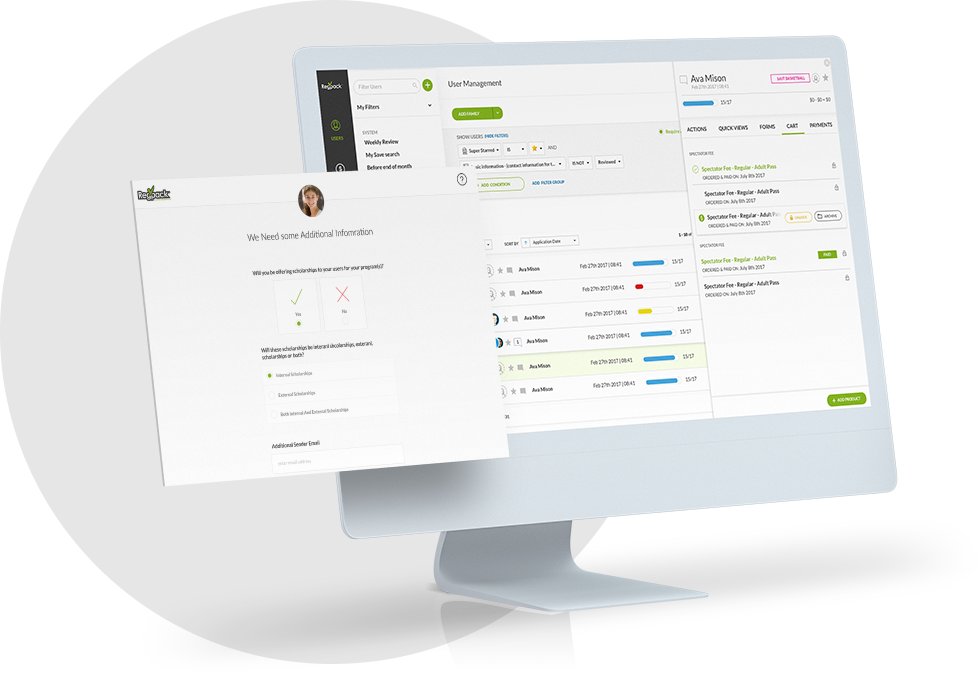
When I talk about how Regpack or other camp software can save you time, this is exactly what I mean. Using your software to filter for applications that are still incomplete, selecting those users and then sending off this template only takes a few minutes.
If you were to spend time creating a customized email to each family that has incomplete forms, or taking time to call each one to remind them – you’d never get anything done!
This email has all the parent needs to understand what is missing, what they need to do, and how they can do it.
Putting together an email, using your software’s automation tools will save you time and let you get back to more important tasks.