Custom Registration Forms & E-Signature Software
Get It Signed Without Asking Twice
Registration and e-signatures usually live in separate tools, so you're stuck sending a second email just to get a form signed. Regpack keeps both in one flow. People fill out your form, sign it right there, and you're left with a dated record, no follow-up required.
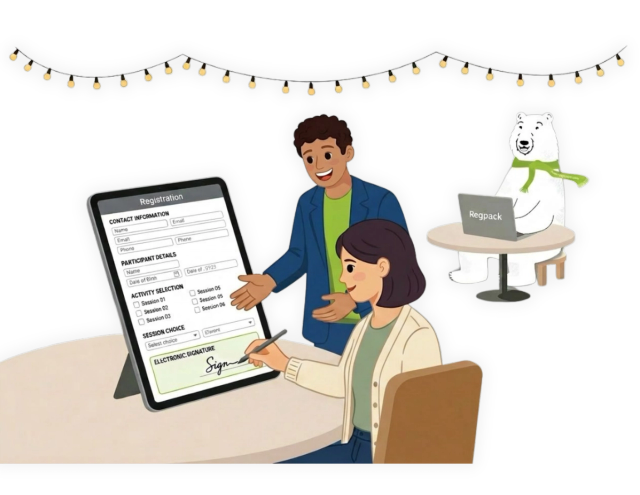
Build the exact form your program needs
Regpack forms are built to match how your program actually works. Add the fields you need, set conditional logic so people only see what applies to them, and let the form branch based on their answers. A returning family skips what they have already given you. A first-time registrant sees the full intake. Nobody wastes time on questions that do not apply to them.
- Custom fields for any data you collect
- Conditional logic that shows or hides sections based on answers (Regpack calls this Flow Control).
- No code required to build or change a form
Everything Your Form Can Do
Multi-Step Forms
Break long forms into steps so people aren't hit with everything at once.
Save & Resume
Registrants can start a form, leave, and pick up right where they stopped.
File & Document Uploads
Collect IDs, photos, or paperwork directly inside the form, no separate upload tool.
Saved Profiles for Returning Participants
Past answers pre-populate on repeat sign-ups, so returning families skip what they've already given you.
Multi-Language Forms
Offer the same form in multiple languages without building separate versions.
Mobile-Optimized Forms
Forms render cleanly on phones, since most registrants aren't filling these out at a desk.
Capture E-Signatures Inside Your Form
Regpack includes an e-Sign Authorization field. Drop it into your form wherever a signature belongs, a liability waiver, a media-release consent, a policy acknowledgment, a terms agreement, and the registrant reviews the text and agrees right there. The agreement is captured in their records, so you always know who signed what and when.
- e-Sign Authorization field built into the form builder
- Use it for waivers, consents, policy acknowledgments, and agreements
- The signed record is stored with the registrant's other data
Signatures that gate the next step
Because the signature is part of the form, you can require it before someone moves forward. If a waiver is not agreed to, registration is not completed. That means you are not collecting payments or confirming spots for people who skipped a required consent; the gap closes itself.
Everything Connected to Payments
Once the form is done and the required agreements are signed, the same flow collects payment. Cards and ACH, payment plans, and recurring billing all happen in the same session. One flow takes a registrant from first field to signed and paid.
The numbers behind Regpack
Frequently asked questions
Can I collect e-signatures inside my registration form? +
Can I use it for liability waivers and consent forms? +
Can I build a custom registration form without a developer? +
Can I require a signature before someone finishes registering? +
Does the signature connect to payment? +
Can I collect payment and a signature in the same step? +
Does the signed document get stored anywhere I can access it later? +
Can different registrants see different questions on the same form? +
Is there a limit to how many custom fields I can add? +
See sign-and-pay in one flow
Book a 20-minute demo and we will show you how the form, the signature, and the payment work together for your program.