Registration Software for Classes

Less Work for Your Admin Team More Prep Time for Teachers

Automated class registration software that integrates registration and payments on one platform. AI-powered workflows for smooth registration from start to finish.

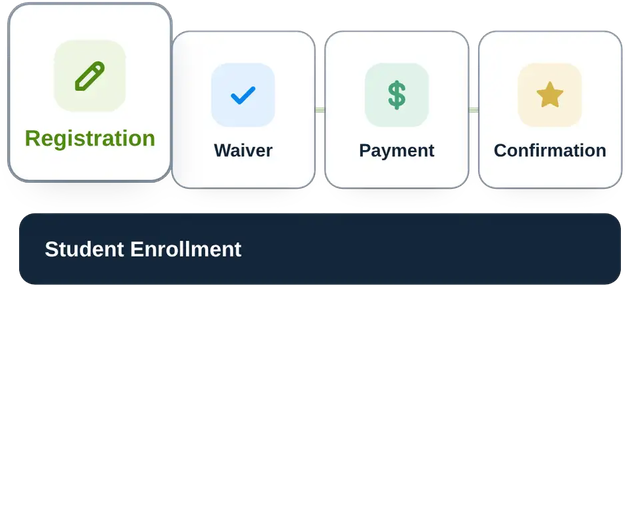
Registration Waiver Payment Confirmation
A moving gif with one box with registration then a box with waivers then a box with payments then a box with confirmation for student enrollment
What it is

What is class registration software?

Class registration software automates student registration, from forms to workflows to payments, and confirms that students’ spots are saved. Automation handles all the moving parts in the background, eliminating manual work.

Key takeaways

  • Class registration software and booking software differ widely in users, general registration use, and capabilities.
  • Registration and payments flow together as one instead of two separate platforms included in the registration form.
  • Creating a class payment invoice requires specific details to keep student records accurate and payments coming on time.
Online class registration software features

What's the Difference Between Class Registration Software and Booking Software?

What They're Registering For

Class registration software reserves a seat in a full class, whereas booking software reserves a single slot or appointment time.

Who Registers

Students, parents, and groups of kids per registration. Booking software is for one person per registration.

Information Collected

Classes need forms, waivers, emergency contacts, and medical details. Bookings need the basics: name, phone number, email.

Capacity

Classes use waitlists, whereas booking software relies on open or closed slots.

Payments

Classes take tuition, payment plans, discounts, and fees. Booking payments are limited to packages or bookings.

Records

Classes need rosters and student profiles that carry through the term. Booking reports are limited to booking history.

Talk to a Class Registration Specialist

Online Class Registration Forms

How Do You Set up an Online Class Registration Form?

1

Choose Your Class Software

Your registration software's capabilities affect the level of insight, automation, and family communication available.

2

Set Up Your Form Questions

Choose relevant questions for your class or classes, including medical and waivers.

3

Collect Student Details

Name, age, medical information, and emergency contact information should be required before proceeding to the next step.

4

Include Payment in the Forms

Payment details and total costs belong on the same form. Include payment plan options, discounts, or full payment before checkout.

5

Confirm Student Details

Use automated workflows to confirm before submission and follow up with a confirmation email afterward.

6

Start Class

Classes run more smoothly with real-time updates to rosters and student profiles.

Class Registration and Payment Software

What Should a Class Registration Form With Payment Include?

Connect payments to registration

Student Details and Price

Age, grade, and family size should decide which classes a student is eligible for, fees, or discounts automatically for correct totals before checkout.

Class Selection with Live Totals

When a student picks up classes, the total should update in real time, giving families a transparent view of what's owed for each class first.

Required Class Fees

Supply and material fees should come with the class invoice, not a separate one. The total cost should be on one invoice.

Payment Plan Options on the Form

Families should have the option to pay in full or in installments directly on the form and set their payment schedule during sign-up.

Waivers Signed Before Payment

Require signatures on waivers and the refund policy before setting up payment to prevent students from paying before signing term agreements.

Save Cards and Automate Follow-Up

Save the card details at checkout so installments and returning students charge without re-entry. If the form is half-finished, an automatic email prompts them to return and finish.

Customer Success Stories

★★★★★

"Calvin and Edgar have been helping me for the past couple of years, and they’ve done a phenomenal job."

Dedicated To Learning
Founder/Director
Learn more
★★★★★

"I wanted a system that would be dynamic and could conform to how we do business, which is a little bit different than some other camps."

Camp Anglewood
Camp Director
Learn more
★★★★★

"One of the things that we’ve integrated into the Regpack system is not only getting information from the participants but also being in a position that we provide information."

JCC Maccabi Israel
Program Director
Learn more

Class Registration Software FAQ

What features should class registration software have? +
Registration forms should allow unlimited questions and connect directly to payments, all without leaving the form. Automated workflows eliminate repetitive manual admin tasks. In-depth, real-time reporting provides a transparent view of current classes, class sizes, waitlists, and growth opportunities.
How do parents register and pay for classes online? +
Parents follow the flow on a single form, from registration to payment, before check-out. Payment plans, packages, and discounts are handled together in the sign-up stage.
Can one parent register several children for different classes? +
Yes, parents can register kids as a group, regardless of their relationship. Parents can register their kids together and split the payments.
How do payments connect to class registration? +
Class registration and payments should fit together before parents click confirm. Payment choices and details should come one after the other, providing a full total for parents without having to leave the current page.
What is the difference between class and course registration software? +
Class registration software is built for ongoing classes, including after-school classes and recreational classes. Course registration software is designed for fixed-time courses, such as semesters or annual programs.
Ask Our Class Specialists Anything